The traditional office network is no longer the center of business operations.
Employees work from offices, homes, and mobile devices. Applications run in the cloud. Vendors connect remotely. Printers, cameras, phones, and other connected devices exchange data throughout the day.
As business technology becomes more distributed, network security can no longer focus only on protecting one physical location. It must protect the connections between users, devices, applications, and data wherever they are.
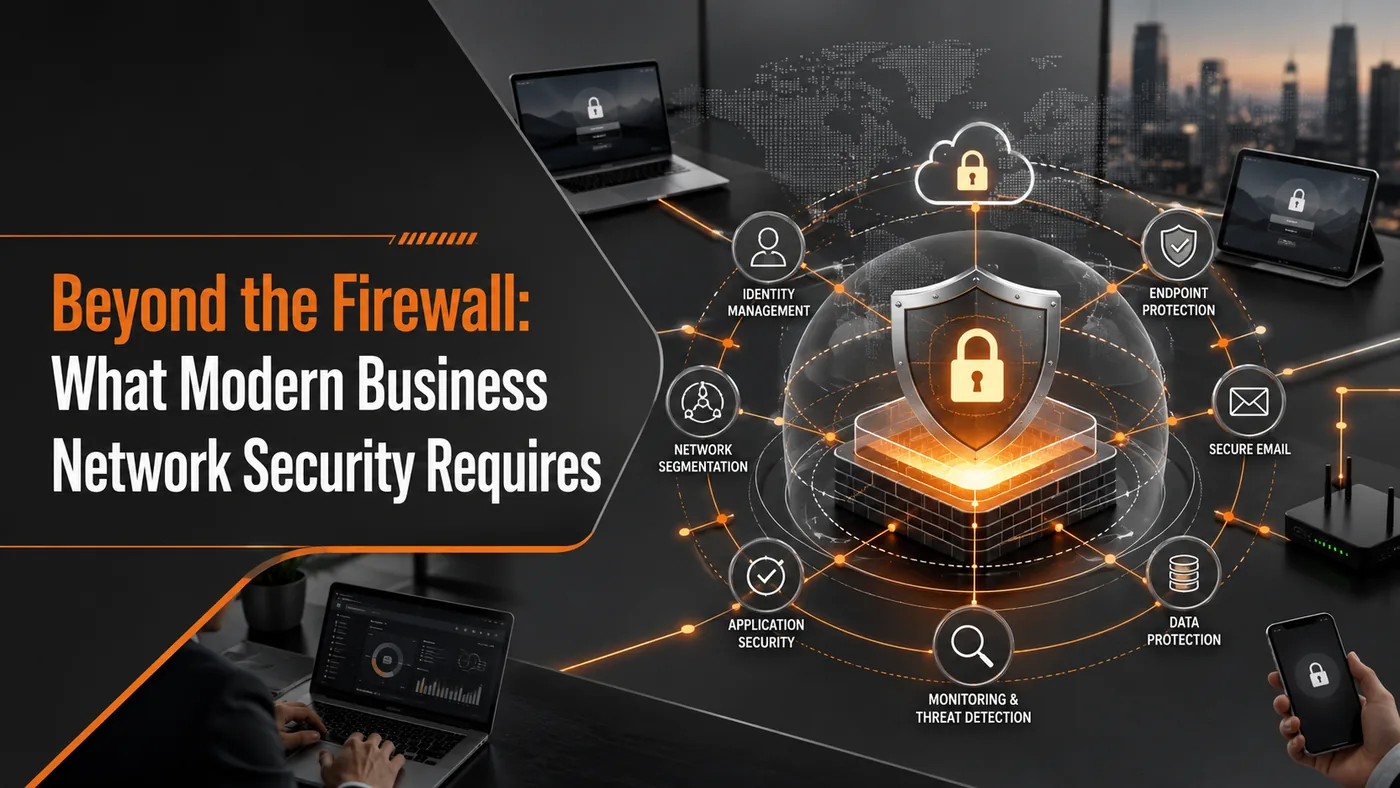
Modern Network Security Goes Beyond the Firewall
A firewall remains important because it helps control traffic moving into and out of a network. But it is only one part of a modern security strategy.
Businesses may also rely on:
- Endpoint protection
- Multifactor authentication
- Encryption
- Network monitoring
- Secure remote access
- Identity and access management
- Network segmentation
- Cloud-application security
These protections create multiple layers of defense. If one control fails or an attacker gains access through a stolen password, other safeguards may help limit the damage.
The goal is no longer simply to keep attackers outside the office network. It is to verify access, monitor activity, and protect systems across the entire technology environment.
Why Traditional Network Defenses Are No Longer Enough
For years, network security was built around a clear boundary. Employees, computers, and applications inside the company network were generally considered trusted, while security efforts focused on keeping external attackers out.
That model became harder to maintain as businesses adopted:
- Cloud-based software
- Remote and hybrid work
- Mobile devices
- Vendor access
- Connected devices
- Multiple office locations
Important data and applications may now exist outside the company's building. Employees may connect from networks the business does not control, and personal or vendor-owned devices may access company systems.
Cybercriminals have adapted by targeting credentials, exploiting unsecured devices, and moving between systems after gaining an initial foothold.
A user or device should not be considered safe simply because it is connected to the internal network.
Zero Trust Changes How Access Is Evaluated
Zero Trust does not mean every employee is treated as suspicious. It means access is not granted automatically based only on a user's location or connection to the company network.
Access decisions may consider:
- The user's identity
- Whether multifactor authentication was completed
- The security condition of the device
- The user's role and permissions
- The application or data being requested
- Whether the activity appears unusual
Access should also be limited to what the user or device actually needs.
For example, an accounting employee may need access to financial systems but not administrative control over company servers. A vendor may need temporary access to one application but not the entire network.
These controls can reduce the impact of a compromised account by preventing an attacker from receiving broad access automatically.
Zero Trust does not replace firewalls, endpoint protection, or monitoring. It adds a more cautious approach to identity and access.
Signs a Company's Network Strategy May Be Outdated
A network-security strategy may need review if it no longer matches how the business operates.
Common warning signs include:
Remote users receive broad network access. Remote access should be limited by role, device, and business need rather than providing access to the entire network.
Personal or unmanaged devices connect freely. The business should know which devices are accessing company systems and whether they meet minimum security requirements.
Cloud applications are excluded from access reviews. Moving software to the cloud does not remove the need to review permissions, protect administrative accounts, and remove inactive users.
Former employees or vendors still have access. Access should be removed quickly when someone leaves, changes roles, or no longer needs a system.
Guest, employee, and connected-device traffic share one network. Printers, cameras, guest devices, servers, and employee workstations should not always communicate freely with one another.
The business relies only on an internet provider's router. A basic router may provide internet access without offering the monitoring, reporting, and security controls a business requires.
Multifactor authentication is not required. Passwords alone may not adequately protect remote access, email, cloud applications, or administrative accounts.
Security alerts are not reviewed after hours. Attacks do not follow business hours. Leadership should know who reviews important alerts and what happens when suspicious activity is detected overnight.
One warning sign does not prove the network is insecure. Several together may show that security has not kept pace with changes in technology and work habits.
Network Segmentation Can Limit the Impact of an Incident
Network segmentation separates devices and systems into smaller groups instead of allowing everything to communicate freely.
A business might separate:
- Employee workstations
- Servers
- Guest Wi-Fi
- Security cameras
- Printers
- Voice systems
- Vendor-managed devices
If a printer, camera, or other connected device is compromised, segmentation can help prevent an attacker from reaching sensitive systems. It can also make performance and security problems easier to isolate.
The goal is not to make the network unnecessarily complicated. It is to limit communication between systems that do not need direct access to one another.
Network Security Requires Continuous Oversight
Modern network security depends on ongoing verification and monitoring.
Automation and machine learning can help identify unusual traffic, suspicious login behavior, or devices communicating in unexpected ways. These tools may help prioritize alerts and bring important activity to an analyst's attention more quickly.
They do not replace human judgment.
Security tools still require configuration, investigation, and response planning. An alert has little value if no one sees it or knows what action to take.
Effective security also depends on foundational practices such as:
- Installing software and firmware updates
- Reviewing access permissions
- Requiring strong authentication
- Monitoring alerts
- Training employees
- Testing incident-response procedures
- Replacing unsupported equipment
Modern tools can make these responsibilities easier to manage, but they do not eliminate them.
Questions Business Leaders Should Ask
Business leaders do not need to design the network, but they should be able to get clear answers to questions such as:
- Which users and devices can access critical systems?
- Is remote access limited by role and business need?
- Are guest and vendor devices separated appropriately?
- Is multifactor authentication required?
- Who reviews network-security alerts?
- Is monitoring active outside business hours?
- Are firewalls and network devices receiving updates?
- How quickly is access removed when someone leaves?
- Are cloud applications included in access reviews?
- When was the network last evaluated?
Vague answers may indicate that responsibilities are informal or divided among several vendors without clear ownership.
Build Security Around the Way the Business Operates Today
The business network has changed. Security must change with it.
A modern strategy should protect more than the office perimeter. It should verify identities, evaluate devices, limit access, separate systems where appropriate, and monitor activity across on-premises and cloud environments.
Superior Technical Solutions helps businesses evaluate network security, remote access, firewall management, segmentation, monitoring, and identity controls as parts of one connected strategy.
Schedule an IT assessment with STS to identify outdated network assumptions and build a security approach that reflects how the business operates today.