An employee needs to install a new application.
They click Install. Windows asks for administrator credentials, and immediately the question comes up:
“Why can't I just be an administrator on my own computer?”
From the employee's perspective, it can feel unnecessarily restrictive.
They use the computer every day. They need to get work done. Why involve IT every time software needs to be installed or a system setting needs to change?
There is a good reason.
Giving employees local administrator rights is not simply giving them permission to install software.
It gives the account the ability to make significant changes to the computer—and if that account is compromised, malicious software or an attacker may be able to use those same privileges.
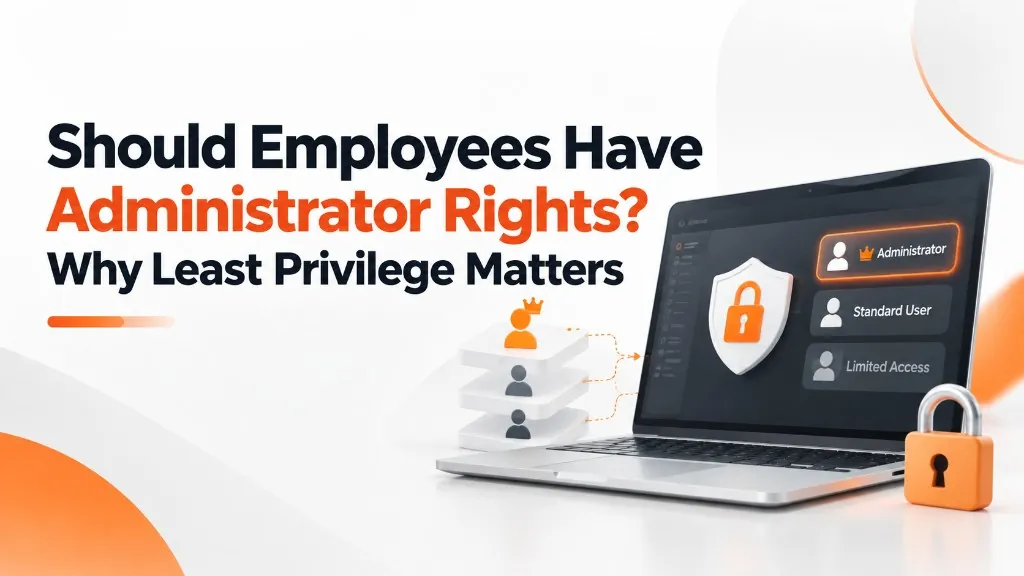
This is why one of the foundational principles of cybersecurity is called least privilege.
The concept is simple—give users the access they need to do their jobs, and no more.
What Do Local Administrator Rights Actually Allow?
A standard user can typically perform the everyday work required on a business computer:
- Open applications
- Create and edit documents
- Access approved files
- Browse the web
- Use printers
- Participate in email and collaboration tools
- Work within applications they have permission to use
An administrator can make system-wide changes. Depending on the environment and configuration, that may include the ability to:
- Install software
- Change security settings
- Modify system configurations
- Create or change user accounts
- Alter permissions
- Disable protections
- Access areas unavailable to standard users
Microsoft describes administrator privileges as powerful capabilities that can modify configurations and make system-wide changes.
Why Does Administrator Access Increase Risk?
Imagine an employee receives a convincing phishing email and opens a malicious attachment. If the employee is operating with limited privileges, the malicious program may also face limitations in what it can change.
But if the employee's account has broad administrative privileges, the attacker or malware may have more opportunity to make deeper system changes.
Least privilege does not magically stop every cyberattack, it limits what can happen after something goes wrong.
Think of it like keys to a building.
An employee may need a key to the front door and their office.
That does not mean they also need keys to:
- The server room
- Payroll files
- The owner's office
- The building's electrical controls
- Every storage room
The same principle applies digitally.
Least Privilege Is About Limiting the Blast Radius
Security professionals sometimes use the phrase blast radius to describe how much damage an attacker could potentially reach from an account or device, if it were compromised.
An account with limited access creates a smaller potential blast radius. An account with access to everything creates a much larger one.
This applies beyond workstation administrator rights.
Least privilege can apply to:
- Microsoft 365 roles
- File permissions
- Accounting systems
- Cloud applications
- Customer databases
- Remote access
- Vendors
- Network administration
- Backup systems
The principle is the same everywhere—give access based on what is actually required.
Should No Employee Ever Have Administrator Rights?
Not necessarily. Some roles genuinely require elevated access.
IT administrators, developers, specialized technical users, or employees running certain applications may occasionally need administrator-level capabilities.
This raises a different question: Does this employee need administrator access all the time to perform their normal job?
Often, the answer is no.
A safer approach is to keep normal daily activity separate from administrative access.
The employee performs normal work with standard privileges, and when an approved administrative task is necessary, privileges can be elevated through a controlled process. That creates useful separation between everyday work and high-risk actions.
Why Not Just Trust the Employee?
This question comes up often.
Limiting administrator rights is not necessarily a statement about whether the employee is trustworthy. It’s just that cybersecurity controls should assume that good employees can still be targeted.
A trustworthy employee can:
- Click a convincing phishing link
- Download the wrong installer
- Open a malicious attachment
- Fall for a fake support call
- Reuse a compromised password
- Accidentally change an important setting
Least privilege protects the employee and the business from the consequences of mistakes and compromised accounts.
A seat belt is not an accusation that someone is a bad driver. It’s protection when something unexpected happens. Administrator controls work the same way.
“But I Need to Install Software”
This is probably the most common frustration with least privilege.
An employee finds a tool that would help them work more efficiently. Why shouldn't they simply install it?
The answer is simple. Software installation is a common way for unapproved technology to enter business environments.
Allowing everyone to install anything can lead to:
- Unlicensed software
- Unsupported applications
- Security vulnerabilities
- Browser extensions with excessive permissions
- Duplicate tools
- Applications that access company data
- Compatibility problems
- Shadow IT
An approval process gives the business a chance to ask:
- Is this software legitimate?
- Does the company already own something that does the same job?
- What information will it access?
- Does it create a licensing or security issue?
- Will IT be able to support it?
That process may occasionally slow down an installation, but it can prevent much larger problems later.
Least Privilege Should Not Make Employees Miserable
There is another side to the issue. Poorly implemented security can create unnecessary frustration.
If an employee needs to open a support ticket every day for routine work, something is wrong with the process.
A good least-privilege strategy should identify:
- What users routinely need
- Which applications should already be approved
- Which roles legitimately require elevation
- How employees request temporary access
- How quickly IT can approve legitimate changes
- Which privileges can be granted safely through controlled tools
Good security practices shouldn’t prevent everybody from accessing anything. The idea is to give people the right access for the work they are responsible for.
What About the Owner or CEO?
Owners and executives sometimes assume they should automatically have the highest level of technology access. From a security standpoint, their position may actually make that more dangerous.
Executives are attractive targets because their accounts may have access to:
- Financial systems
- Confidential documents
- Employee data
- Strategic information
- Approval workflows
A job title does not automatically create a technical need for administrator access. In many cases, executive accounts should be protected especially carefully.
Separate Everyday Accounts From Administrative Accounts
For people who genuinely need administrative capabilities, separating normal work from privileged work is an important security practice.
For example, the everyday account is used for email, documents, browsing, and normal applications—the typical work stuff. The account with administrative access is used only when making system or security changes.
This makes it so that an administrator does not browse the web, read email, and open attachments while continuously operating with elevated privileges.
The principle is straightforward—Use powerful credentials only when powerful privileges are actually required.
Five Questions Businesses Should Ask
If you are not sure whether your company is following least privilege, start here.
1. Are employees local administrators on their computers?
If yes, understand why.
There may be a legitimate reason—but “that's how the computers were originally set up” is not much of a security strategy.
2. How many people have administrative access to Microsoft 365 or other major systems?
Too many administrator accounts create more opportunities for compromise.
3. Do vendors have permanent administrative access?
Review what they actually need and whether that access can be restricted.
4. Are former employees' permissions removed promptly?
Least privilege also means removing access when it is no longer necessary.
5. Are privileged accounts used for normal everyday work?
Where possible, separate normal activity from high-risk administrative functions.
Give Right Access, Stay Safe
Least privilege sometimes sounds restrictive because of the word least. A better way to think about it is right privilege.
The right employee, the right systems, the right level of access, for the right amount of time.
Employees should have everything they reasonably need to perform their jobs effectively. They should not automatically have permissions that create unnecessary risk simply because giving everyone administrator rights is easier to manage.
At STS, access management is part of the larger work of keeping business technology secure, manageable, and reliable. That includes understanding who needs administrator rights, where elevated privileges exist, how vendors access systems, and what happens when someone's role changes.
Because cybersecurity is not only about keeping attackers out. It is also about making sure that if an account is ever compromised, the attacker does not automatically inherit the keys to everything.