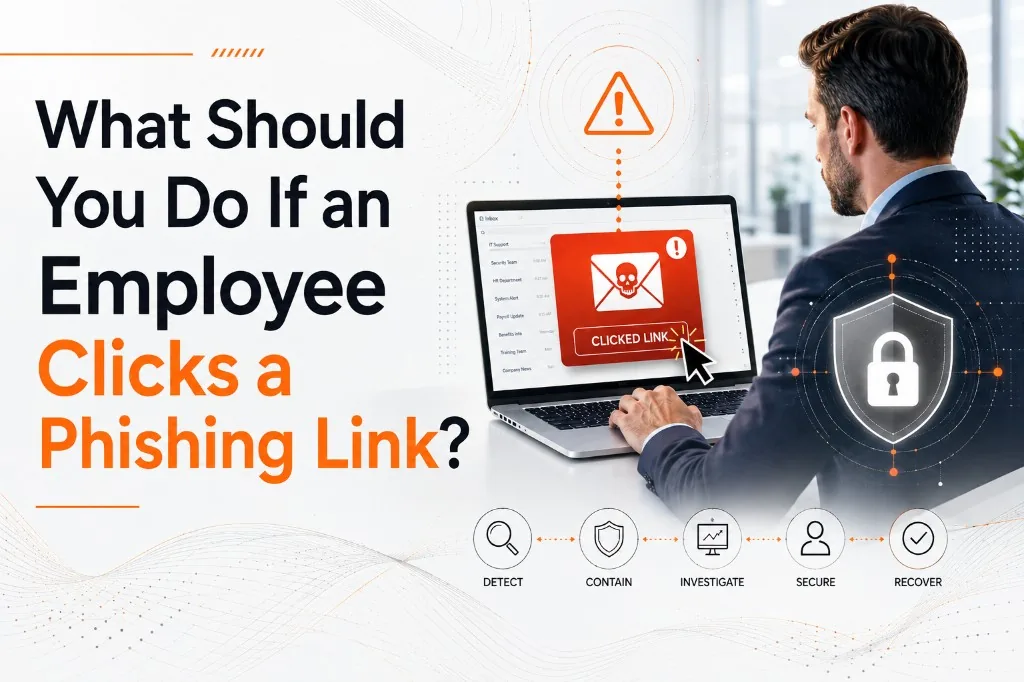
It happens fast.
An employee is working through a busy inbox. A message looks like it came from Microsoft, a vendor, a manager, or even someone inside the company. The email says there is a problem with an account, an invoice needs attention, or a document is waiting for review.
They click.
Sometimes nothing obvious happens.
There may be no warning. No pop-up. No strange message. No immediate sign that anything went wrong.
That is exactly why phishing can be so dangerous.
If an employee clicks a suspicious link, the most important thing they can do is report it immediately. From there, your IT or cybersecurity team can determine whether credentials were entered, malware was downloaded, account activity needs to be reviewed, or other containment steps are necessary.
The faster your business responds, the better chance you have of limiting the damage.
First: Do Not Panic — But Do Not Ignore It
Clicking a phishing link does not automatically mean your business has been breached.
But it should always be taken seriously.
There is a big difference between clicking a link and entering a password, downloading a file, approving an authentication request, or giving an attacker access to an account.
That is why the first step is to understand exactly what happened.
Ask the employee:
- What email did you receive?
- What link did you click?
- Did a website open?
- Did you enter a username or password?
- Did you download or open a file?
- Did you approve an MFA request?
- Did you provide any other information?
- Did anything unusual happen afterward?
Those details can help IT determine the appropriate response.
The worst thing an employee can do is hide the mistake and hope nothing happens.
Step 1: Report the Incident Immediately
Employees should know exactly who to contact if they believe they clicked something suspicious.
That may be an internal IT department, an IT provider, or a security team.
The important part is speed.
Cybersecurity incidents can escalate quickly. If an attacker obtains credentials, they may immediately attempt to access email, cloud services, financial systems, shared files, or other applications.
Fast reporting gives your IT team an opportunity to investigate before the attacker has time to do more damage.
A healthy cybersecurity culture should make this easy.
Employees should not be afraid that reporting a mistake will get them in trouble. If people are worried about being blamed, they may delay reporting incidents, and that delay can be much more damaging than the original click.
Step 2: Change Compromised Passwords
If the employee entered a username and password into a suspicious website, the password should be considered compromised.
If credentials were entered, reset the password and revoke active sessions.
That does not mean changing only one account if the same password has been reused elsewhere.
If an employee uses the same or a similar password across multiple accounts, those other accounts may also be at risk.
This is one reason password reuse is so dangerous. Once attackers obtain one password, they may test it against email accounts, cloud systems, banking platforms, social media accounts, and other services.
Businesses should require strong, unique passwords and use a business-grade password manager whenever possible.
Step 3: Review Multi-Factor Authentication
Multi-factor authentication, or MFA, adds an important layer of protection when a password is stolen.
But MFA does not mean an account is completely safe.
Attackers may attempt to trick employees into approving fraudulent login requests. In other cases, they may use more advanced phishing techniques designed to capture authentication sessions.
If an employee entered credentials into a phishing page, your IT team should review recent login activity and check whether any unfamiliar authentication attempts occurred.
Employees should also understand a simple rule:
If you did not initiate the login, do not approve the MFA request.
Unexpected authentication prompts should be reported immediately.
Step 4: Disconnect the Device If Necessary
Not every phishing attack is designed to steal passwords.
Some links or attachments may attempt to install malware, ransomware, remote-access software, or other malicious programs.
If a file was downloaded or opened, or if the computer begins behaving strangely, your IT team may decide to isolate or disconnect the device from the network.
This can help prevent malicious software from communicating with outside systems or spreading to other devices.
Employees should not attempt to diagnose or remove malware on their own unless instructed by IT.
Deleting a suspicious file does not necessarily mean the threat is gone.
Professional security tools may need to scan the device, review activity, and determine whether anything was executed.
Step 5: Review the Employee's Account Activity
If credentials may have been exposed, IT should review the affected account for suspicious activity.
That might include:
- Unfamiliar login locations
- New email forwarding rules
- Messages sent without the employee's knowledge
- Changes to account settings
- New devices or applications connected to the account
- Unexpected password-reset activity
- Suspicious file access
- Unusual sign-in times
Email accounts are especially valuable to attackers.
Once inside an inbox, an attacker may monitor conversations, impersonate employees, reset passwords for other services, or wait for an opportunity involving payments or sensitive information.
Sometimes attackers remain quiet specifically so they are not noticed.
Step 6: Look for Signs of Business Email Compromise
One of the most serious outcomes of phishing is business email compromise, often called BEC.
In these attacks, criminals gain access to or imitate a legitimate business email account.
They may then send messages asking employees, vendors, or customers to:
- Change banking information
- Wire money to a new account
- Pay a fraudulent invoice
- Purchase gift cards
- Send tax documents
- Provide passwords or sensitive information
These messages can be especially convincing because they may come from a real, compromised email account.
If a phishing incident involves an email account, your IT team should check for signs that the attacker attempted to send messages, create forwarding rules, or access previous conversations.
Step 7: Determine Whether Sensitive Information Was Exposed
The next question is whether the phishing incident exposed company, customer, employee, financial, or other sensitive information.
This may require reviewing what systems the employee had access to and what the attacker may have been able to reach.
For businesses that handle regulated information, such as healthcare or financial data, additional compliance or reporting requirements may apply.
This is also why employee access should follow the principle of least privilege.
Employees should only have access to the systems and information they need to perform their jobs.
If one account becomes compromised, limited permissions can reduce how far an attacker is able to go.
Step 8: Preserve the Phishing Email
Employees should not immediately delete the suspicious message.
Your IT or cybersecurity team may want to examine it.
The email can contain useful information about the sender, links, attachments, impersonated domains, or other indicators that help determine how the attack worked.
The security team may also use that information to block similar messages from reaching other employees.
In some cases, the same phishing campaign may have targeted multiple people inside the organization.
What appears to be one employee's mistake may actually be part of a broader attack.
Step 9: Warn Other Employees When Appropriate
If the phishing email was sent to multiple employees, the rest of the organization should be alerted.
The warning does not need to create panic.
It can simply tell employees what to watch for and remind them not to click the message.
For example:
"An email pretending to be Microsoft is currently targeting our organization. Do not click the password reset link. If you received or interacted with the message, contact IT immediately."
A quick internal warning can prevent a second person from falling for the same attack.
Why Fast Reporting Matters So Much
The time between the initial click and the response can make a significant difference.
Imagine an employee enters their Microsoft 365 password into a fake login page.
If they immediately report it, IT may be able to reset the password, revoke active sessions, review login activity, and secure the account before the attacker accomplishes anything.
If they wait until the next day, an attacker may have had hours to read email, create forwarding rules, access files, impersonate the employee, or attempt financial fraud.
That is why employees should never wait for proof that something bad happened.
Suspicion is enough reason to call IT.
How Can Businesses Prepare Before Someone Clicks?
The best time to decide how you will respond to a phishing attack is before one happens.
Every business should have a simple process employees understand.
That includes knowing:
- How to report suspicious emails
- Who to contact after clicking something
- What to do with unexpected MFA requests
- How passwords should be managed
- Which systems contain sensitive information
- Who is responsible for investigating security incidents
Employee training is important, but it should not be your only defense.
Strong email filtering, endpoint protection, MFA, password management, restricted permissions, security monitoring, backups, and incident-response procedures all provide additional layers of protection.
Your employees do not have to recognize every attack perfectly.
Your security environment should be designed with the assumption that eventually, someone will click something they should not.
The Goal Is Not Perfect Employees
Phishing attacks are designed to fool people.
Attackers create convincing messages, use familiar names, impersonate trusted companies, and manufacture urgency.
Even careful employees can make mistakes.
That is why strong cybersecurity does not depend on telling employees to "be more careful."
It combines educated employees with technology and processes that reduce the impact when human error occurs.
At Superior Technical Solutions, we help businesses build cybersecurity environments designed around that reality.
We look at the people, systems, devices, accounts, access, monitoring, backups, and security controls that work together to protect the organization.
Because when an employee clicks a phishing link, the most important question is not:
"Who made the mistake?"
It is:
"What protections do we have in place to stop that mistake from becoming a serious incident?"